

How to Create Custom Products, Chemicals, and Equipment in Pooli
A clear, step-by-step guide to adding your own chemicals, tablets, test supplies, and equipment in Pooli, plus how to make brand versions, edit them, and choose between a consumable product and a piece of equipment.
Pooli lets you add your own products so the app matches exactly what you use on your pools and spas. This guide covers the two product types, how to change a Water Report pick to the jug you actually buy, how to add a custom chemical from the bucket label, how inventory cost works, and the cases that trip people up the most: test supplies like SpinDisks, bromine tablets, and brand versions of a product you already use.
Watch the walkthrough, then follow the same taps in the app.
The one decision that matters: consumable vs. equipment
When you add a custom product, you are really answering a single question:
Do you use it up, or do you install and reuse it?
| If it is... | Create it as | Examples |
|---|---|---|
| Used up over time | Consumable Product | Chlorine, acid, salt, bromine tablets, test strips, SpinTouch SpinDisks, reagents, DE, clarifier |
| Installed or reused | Equipment | Pumps, filters, salt cells, water meters, digital testers, reusable test kits, cleaners |
The reason this matters: consumable products track usage and draw down from your inventory, and they can be recorded against a pool each visit. Equipment is installed at a pool and tracked as an asset. It does not get used up.
Tip: If you want Pooli to deduct it from inventory every time you use it, create it as a Consumable Product.
Change the recommended product to what you actually buy
A Water Report might tell you to add 1.18 qt of liquid chlorine from the catalog default. That default is a starting point, not a requirement.
On the treatment screen, tap Change and pick the product you actually buy (pool store jug, Costco bleach, or a custom chemical you already added). Pooli recalculates the dose for that strength and package. You do not have to run the catalog default if your shed is different.
This is the fastest path when you already have a close match in the catalog and only the brand or strength is different.
How to add a consumable product (chemicals, tablets, test supplies)
You can start from Settings, then Custom Products (or tap Manage from any product picker). You can also add a chemical from the treatment screen or My Inventory. Pooli leads with the product form because that one choice decides how the product is tracked and dosed.
- Tap Add Consumable Product.
- Pick the form. Choose what matches what you use:
- Tablets and granules: trichlor tabs, cal hypo, salt, DE.
- Liquid: muriatic acid, liquid chlorine, algaecide.
- Counted supplies: test strips, SpinDisks, reagents.
- Find the closest match. Pick the product (or testing supply) closest to yours. Pooli prefills the type, and for chemicals it prefills the effects so dosing is ready.
- Name your product. Confirm or edit the product type, then enter your brand or product name. The match is just a starting point. You can rename anything.
- Set dosing or usage.
- Chemicals: choose Custom effects (set how it changes the water), Adjust strength (same chemical at a different %, for example 10% vs. 12.5% liquid chlorine), or Scheduled use (added on a routine, like enzymes or algaecide).
- Counted supplies need no chemistry. They are recorded as used and drawn down from inventory.
- Save. It now appears in your product picker and inventory.
Custom trichlor from the bucket label
Catalog trichlor is often listed at 90% available chlorine. The bucket in your shed might say 95%. That gap changes the dose.
Create a custom trichlor from the label:
- Start from the closest trichlor match.
- Set the available chlorine to what the bucket prints (95% in the walkthrough).
- Save, then compare a test dose.
In the video, 4 oz of catalog 90% trichlor raises FC about 3 ppm. The same 4 oz at 95% raises FC about 2.79 ppm once Pooli uses the label strength. Always copy the percentage off the bottle or bucket, not the catalog default.
Add a 50 lb tab bucket to inventory
From the treatment screen or My Inventory, add the bucket you just created.
- Set the dosage unit to tabs (how you actually dose).
- Keep inventory in pounds (how you buy it, for example a 50 lb bucket).
Pooli can dose in tabs while the stock number stays in pounds. You do not have to pick one unit for both.
Price, monthly cost, and low-inventory notify
Enter what you paid. In the walkthrough that is $100 for 50 lb, which is $2 per pound.
With a price on the item, Pooli can show monthly consumable cost as you use it. Turn on optional low-inventory notify if you want a reminder before the bucket runs out.
You can do this once per product. Later doses inherit the unit cost.
Dose one tab and see the cost
When free chlorine is low, dose 1 tab of your custom trichlor.
That action:
- Logs the low-FC treatment on the pool
- Deducts 0.5 lb from the 50 lb bucket (the walkthrough's tab weight)
- Rolls into about $1 per month at $2/lb for that use
- Breaks spend into this month, last month, and forever
Open inventory after the dose to confirm the draw-down and the cost line. This is how the shed becomes a budget, not just a list.
Bleach, muriatic, and pH down (same flow)
The same custom-product path works for liquids:
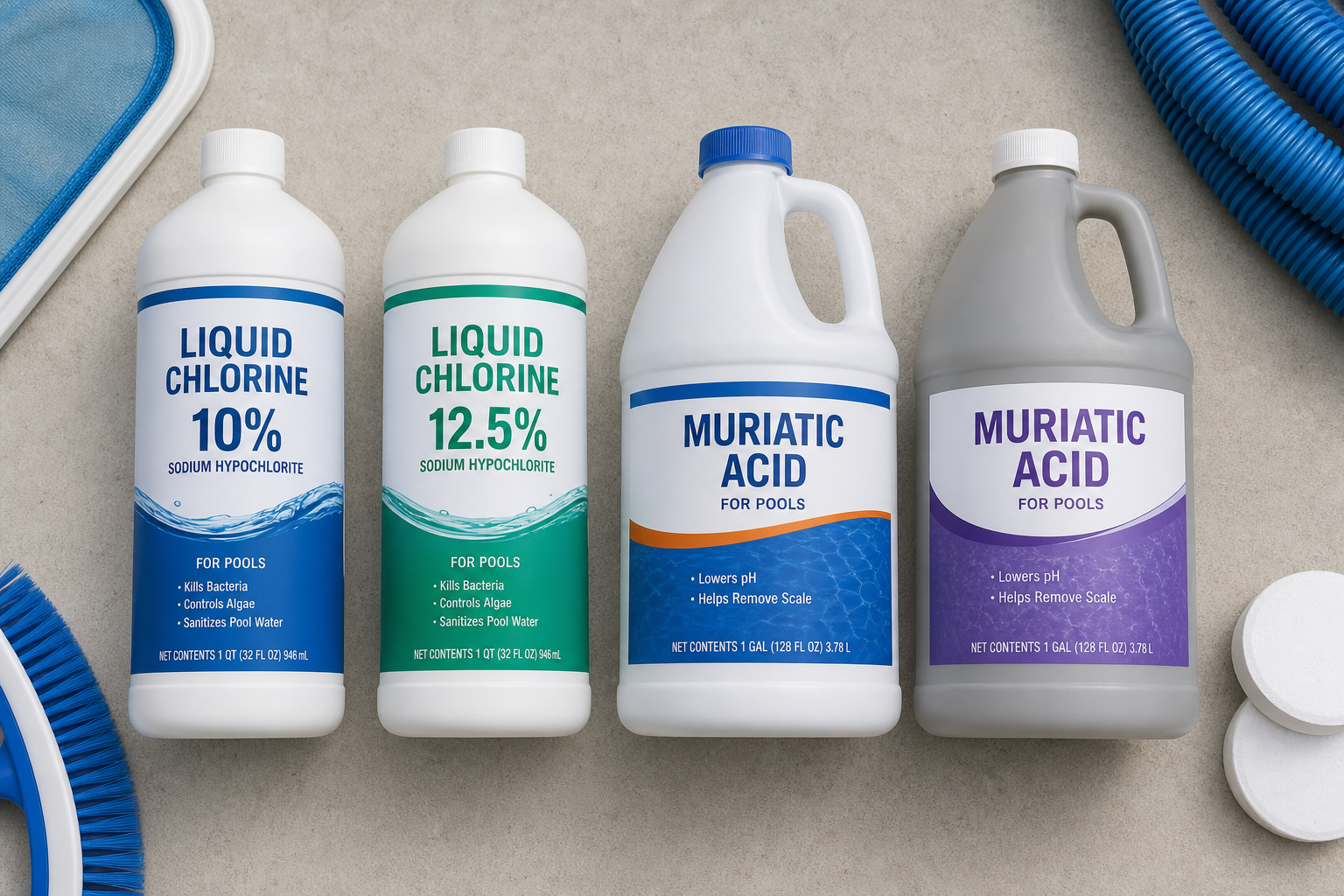
- Liquid chlorine / bleach: catalog 10% is common. Your jug might be 15% or 7%. Adjust strength to the label, then Change the Water Report pick to that jug.
- Muriatic acid / pH down: add it as the acid you actually pour. Info aliases in the app include hydrochloric acid, pH decrease, and acid, so search for any of those names.
- Buy it at Home Depot or a pool store. Match the label strength, not a generic catalog bottle.
Once the custom liquid is saved, it is available on the treatment screen the same way as trichlor.
Special case: SpinDisks, reagents, and test strips
Choose the Counted supplies form, then pick the closest testing supply (Pooli already includes Test Strips, Test Kit, and Digital Tester as built-in types, so you will not create a duplicate). Pooli keeps count and subtracts one each time you record use.
To subtract supplies automatically when you save a test, turn on Auto-Reduce Test Strips or Auto-Reduce SpinDisks under Settings, then Test Settings. SpinDisks are reduced when you save a SpinTouch test.
If instead you just want to list a reusable tester or kit as a piece of gear (a digital tester or a refillable drop kit), create it as Equipment and choose the Water Testing type.
How to add equipment
Adding equipment follows the same walkthrough style as consumables.
- Open Settings, then Custom Products.
- Tap Add Equipment.
- Pick the category: Pump, Filter, Heater, Water Testing, SWG, and others. Each chip shows examples so you know you are in the right place.
- Other equipment type: if nothing fits, tap this link (not in the main list) and enter a custom type name such as Automation or Light.
- Find the closest match (optional): pick a similar catalog item to prefill the name, then edit the brand and model.
- Name your equipment and save. You can install it at a pool and track it as an asset.
Making a brand version of a product
Already have a product type and just want your specific brand or strength? Use Add Brand in the product picker (or clone an existing product). This keeps Pooli's built-in dosing and effects, while letting you name the exact jug, bucket, or box you buy. This is the fastest way to set up your shelf without rebuilding chemistry from scratch.
Bromine tablets and sanitizers
Bromine is a sanitizer, but it has its own dosing and test logic (it is measured as total bromine, not free chlorine). Because of that, bromine products live under the Bromine type rather than the chlorine sanitizer group. If you run bromine spas or pools, create your tablets as a consumable Bromine product so dosing and targets stay correct.
Edit, swipe-delete, and clean the picker
You can tap any custom product to edit it (name, type, strength, effects, or form). Swipe left to delete. There is also an edit icon on each row.
To clean the product picker, open Preferences, then custom chemicals and equipment. Drop the strength you do not use (for example 97%) and keep the one on the bucket (95%). Re-adding a custom product puts it back in the picker.
Barcode scan is not test-strip scan
On a real phone you can scan a barcode to pick a product. That is not available in the iOS Simulator, and it is not the same camera flow as test-strip scan.
Barcode scan finds the catalog or custom item. After you land on a product, set the default dosage unit (ounces to tabs, for example) so later treatments match how you scoop or pour.
Why you sometimes see Add to Inventory but not Add to Pool
The buttons you see depend on the product:
- Consumable products can be added to water / recorded as used at a pool, and added to inventory for stock tracking.
- Products with no water-chemistry effect (like a SpinDisk) show Record Use instead of Add to water, because they do not change your readings. They are just consumed.
- Equipment shows Install at Pool and Add to Inventory, because it is installed, not dosed.
If a product only offered Add to Inventory, it was created as equipment. Re-create it (or edit it) as a Consumable Product to be able to record using it on a pool.
Quick reference
- Use it up: Consumable Product
- Install or reuse it: Equipment
- Water Report pick is wrong: Change to the jug you buy
- Same chemical, different brand or strength: Add Brand or Adjust strength from the label
- 50 lb tab bucket: dose in tabs, inventory in pounds, add a price
- SpinDisks / reagents you want counted: Consumable Product, then Counted supplies
- Reusable tester or kit: Equipment, then Water Testing
- Bromine tablets: Consumable Product, then Bromine
- Clean the picker: Preferences, then custom chemicals and equipment
- Barcode scan picks a product. Test-strip scan reads a strip.
You can put almost any chemical under the sun into Pooli, then treat the pool shed as inventory. A pool is a third child, and it costs money. Tracking the bucket, the dose, and the monthly spend is how you keep that honest.
Still stuck? Reach out to Pooli support and we will help you set up your first few products so the rest are easy to copy.